From plate to logged in about ten seconds.
Tracking only works if it survives a bad week. So the flow is short on purpose: get the meal in by whichever route is fastest, glance at what came back, correct it if it is wrong, and get on with your day.
A photo, a sentence, a barcode, or a saved favourite.
Ingredients, macros and a confidence note you can correct.
Every metric rolls up into the same history view.
Get the meal in, by whichever route is fastest.
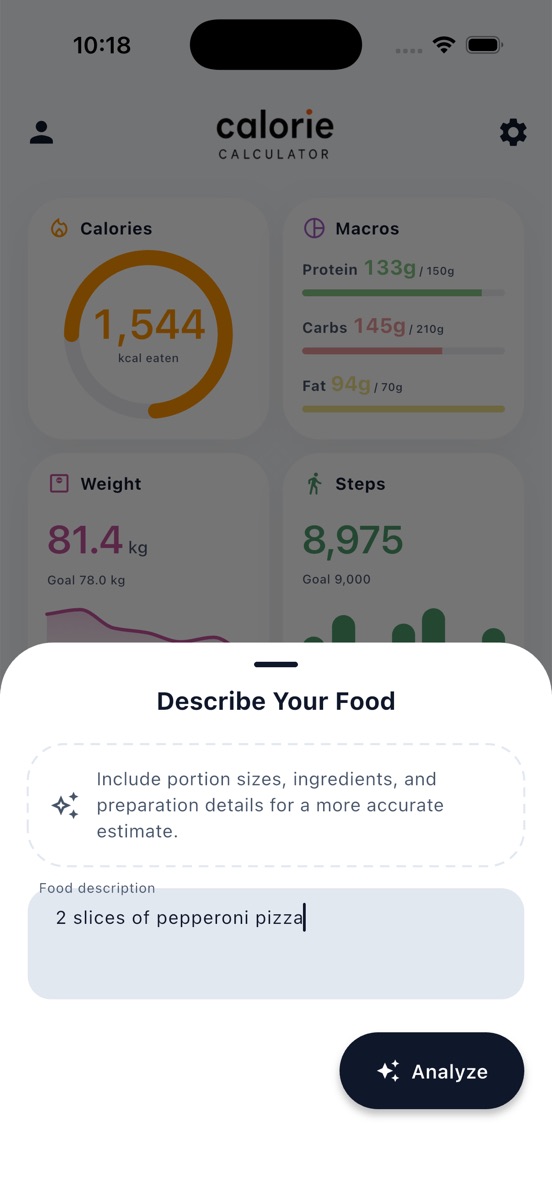
Press the plus button and pick your input. A restaurant plate is quickest as a photo. A packet is quickest as a barcode. Leftovers you can only describe are quickest as a sentence — “2 slices of pepperoni pizza” is enough to start with, and portion or preparation detail sharpens the result.
- Photo — the AI identifies the dish and its parts
- Description — plain language, no database search
- Barcode — Open Food Facts, cached for offline reuse
- Favourite — re-log a regular meal in one tap
Check what came back — it is a draft, not a verdict.
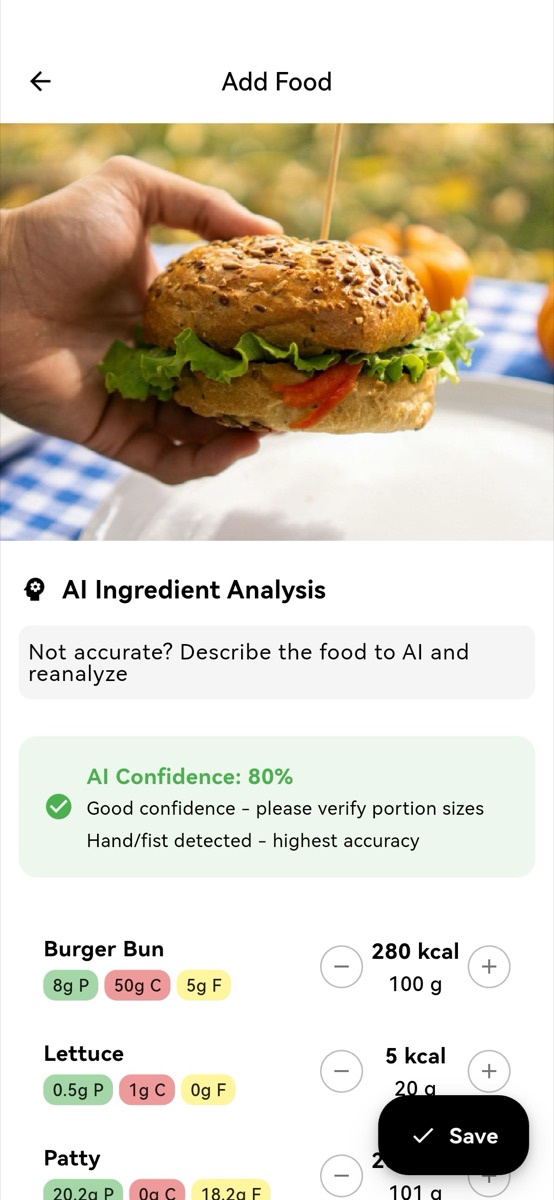
The result arrives split into ingredients, each with its own calories, macros and gram weight, above a confidence note that tells you how much to trust the estimate and why. Nudge a portion up or down, delete a line that is not there, or type the totals in yourself. Nothing counts until you press save.
- Every ingredient adjustable with plus and minus
- Calories, protein, carbs and fat editable directly
- Confidence stated, including when a size reference was found
- Re-analyse with a description if the photo missed something
The day assembles itself in one timeline.
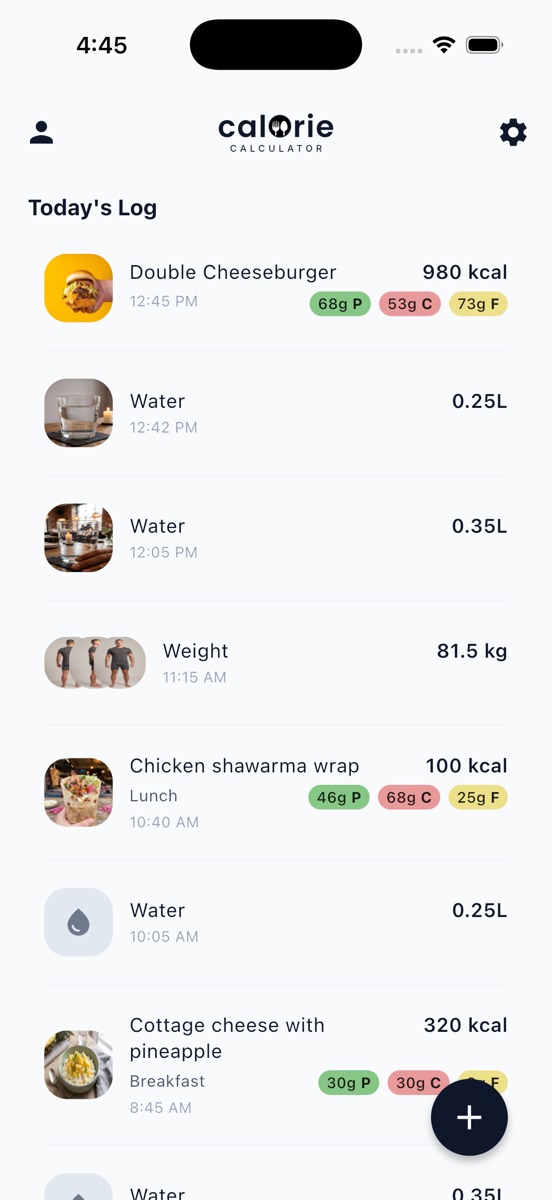
Saved meals drop into Today's Log with their time and macro split — and so do glasses of water and weigh-ins, in the same list. The cards above update as you go, so the day is readable at a glance without opening anything.
- Food, water and weight in one chronological list
- Meal tags: breakfast, lunch, dinner, or your own
- Tap any entry to edit or remove it
Come back in a week and the pattern is there.
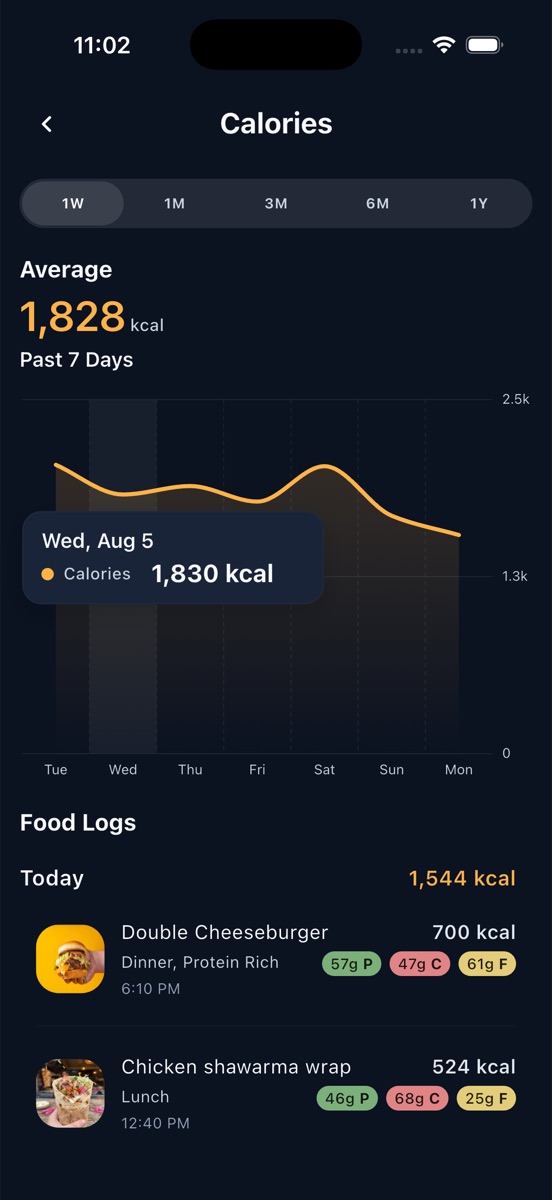
This is where tracking pays. Each card opens into the same history screen — pick a range from a week to a year, see the average across it, touch the chart for any single day, and read the entries underneath. It works identically for calories, weight, steps and water, so there is only one screen to learn.
- 1W, 1M, 3M, 6M and 1Y ranges
- Average across the range, stated plainly
- Progress photos attached to weigh-ins, comparable side by side
Five things that help.
- Photograph the plate with the food filling most of the frame; the analysis flags when it is unsure rather than pretending otherwise.
- Including your hand in the shot gives the model a size reference and a better portion estimate.
- If the estimate is off, describe the dish in the re-analyse box instead of correcting numbers by hand — it is usually faster.
- Packaged food is nearly always quicker to scan than to photograph.
- Log close to when you eat. The app anchors entries to the real time, so a day reads back as it happened.