 rieCALCULATOR
Everything you track, in one app.
Calorie Calculator logs your food from a photo, a sentence or a barcode — then keeps calories, macros, weight, steps, water and fasting on a single screen. It works offline, it is free to use, and no feature is waiting behind a paywall on the third tap.
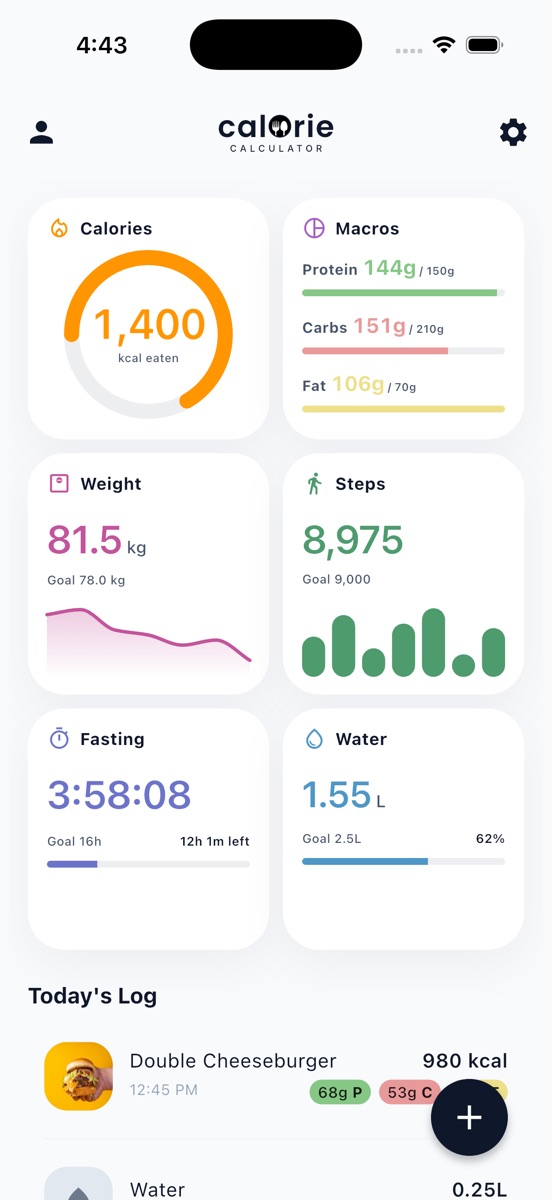
Six numbers. No tab hunting.
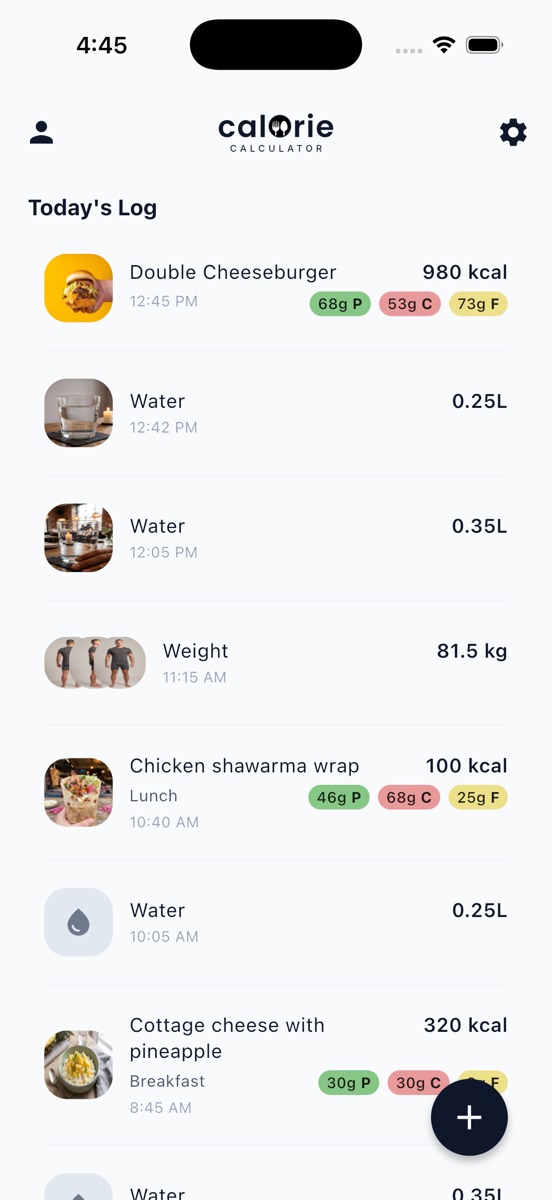
Most trackers scatter your day across half a dozen screens. Here the six things worth knowing sit together on the home screen, each one a tap away from its own full history.
Four ways in, because the fastest one depends on the meal.
A restaurant plate wants a photo. A handful of crisps wants a barcode. Last night's leftovers want a sentence. The app takes all four and gets out of the way.
- Photograph it. The AI returns the dish split into ingredients, each with its own calories and macros, and tells you how confident it is.
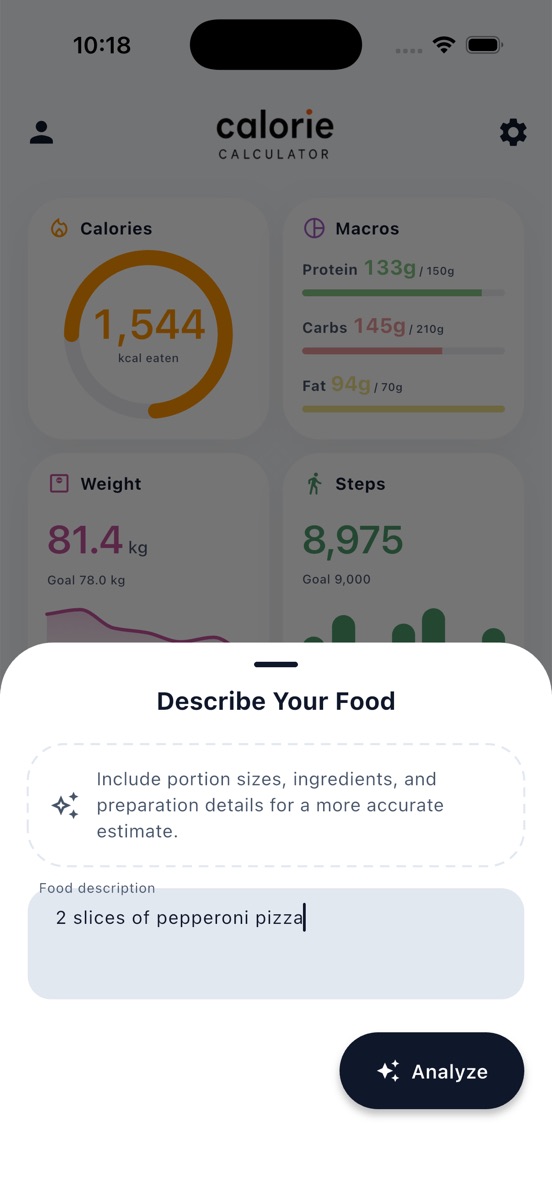
- Or describe it. "2 slices of pepperoni pizza." Portion sizes and preparation details make the estimate sharper.
- Or scan the barcode. Pulled from Open Food Facts and cached on your phone, so a product you scanned before works with no signal.
- Or re-log a favourite. The meals you eat every week are one tap away. Manual entry is there when you already know the numbers.
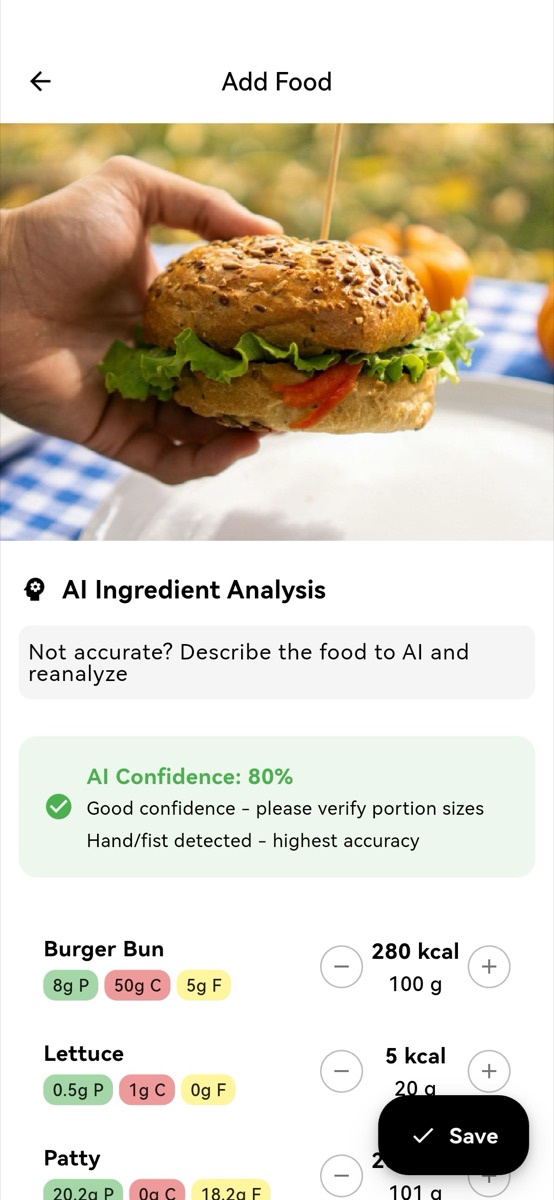
You get the ingredients, not a number to take on faith.
The analysis comes back broken into parts — bun, patty, cheese, lettuce — each with its own calories, macros and gram weight, and a confidence note saying how much to trust it. Adjust a portion, delete a line, or overwrite the totals yourself. Nothing is saved until you say so.
- Per-ingredient calories, protein, carbs and fat
- A stated confidence level, not silent certainty
- Plus and minus on every portion; totals stay editable
- Not right? Describe the dish and have it re-analysed
A week, a month, a year — the same screen every time.
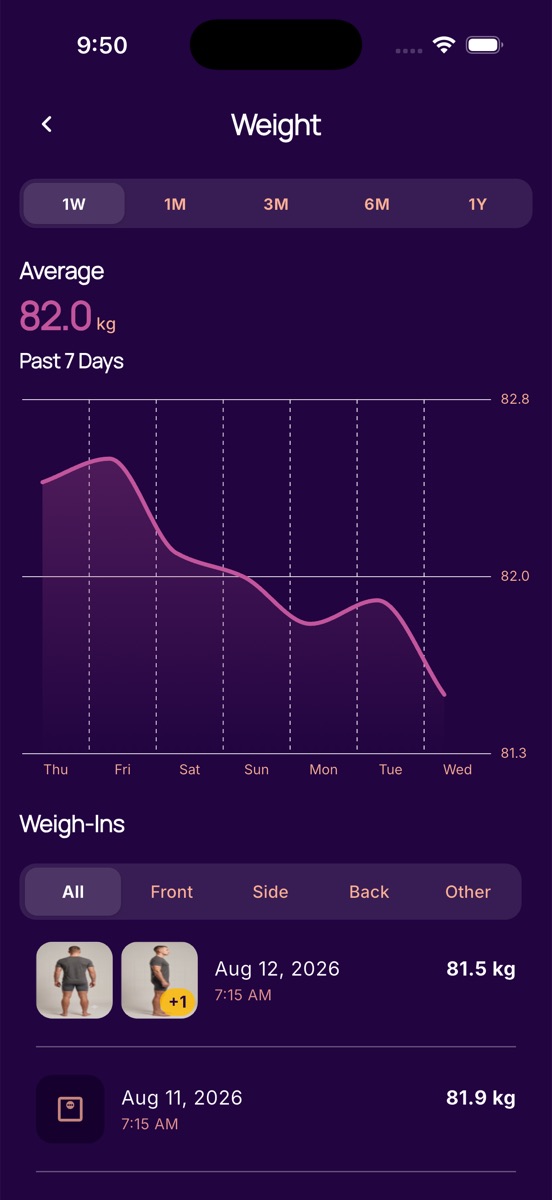
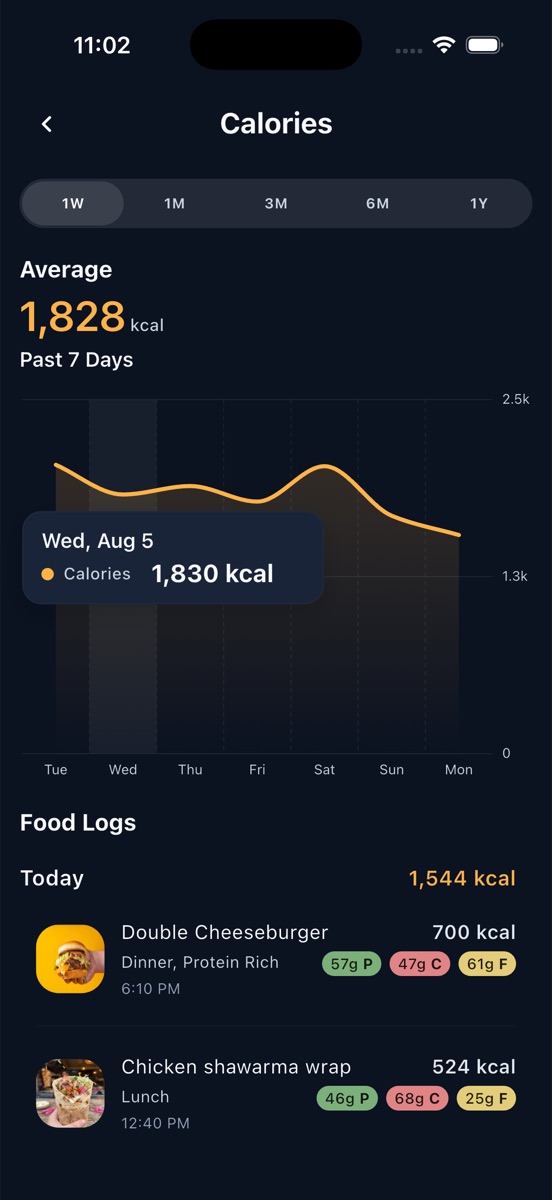
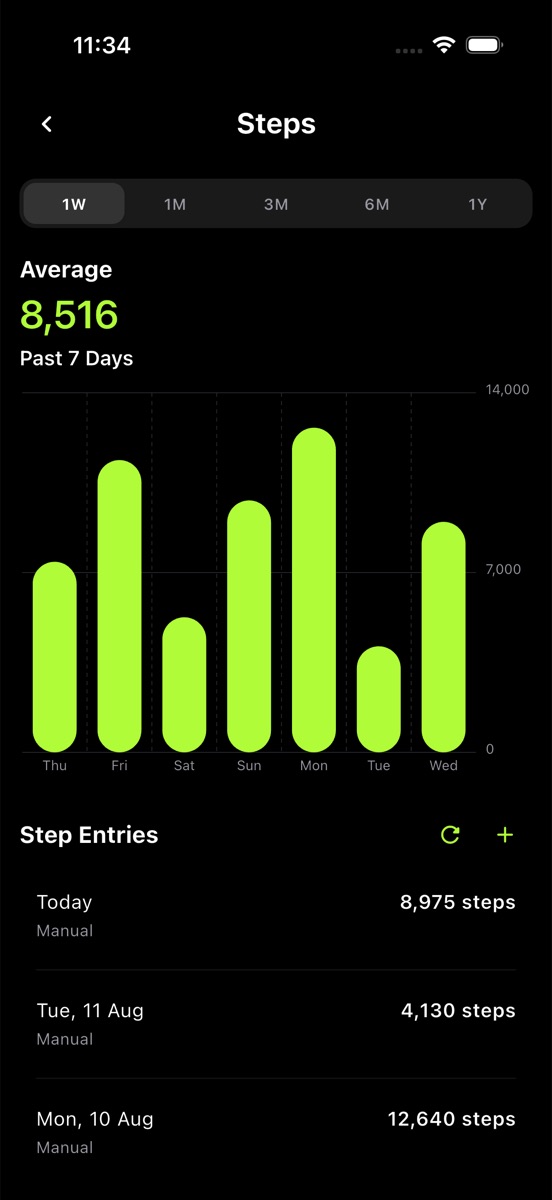
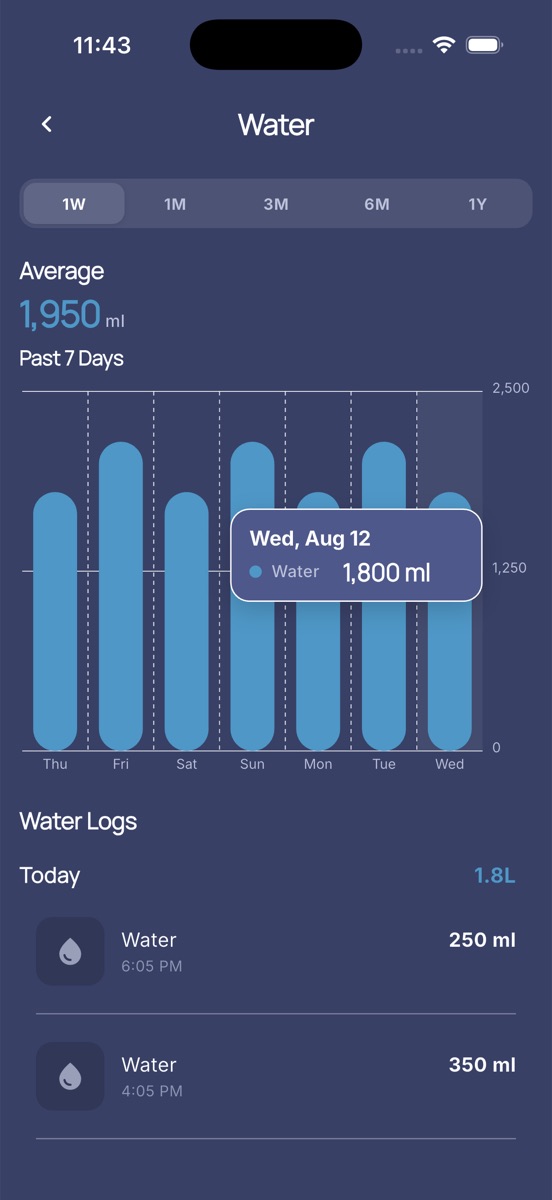
Tap any card and you land in the same history view: the range you want, the average across it, a chart you can touch for any single day, and the raw entries listed underneath. Learn it once for calories and you already know it for weight, steps and water.
- 1W, 1M, 3M, 6M and 1Y on every metric
- Touch the chart for any day's exact figure
- Weigh-ins carry front, side and back progress photos
- Compare two dates side by side
See it before you install it.
Scroll for all 8 screens ->
Local first. The cloud is a switch, not a default.
Your logs live in a database on your phone. No account is required to use any feature on this page, the app works with no signal at all, and if you do sign in to sync, you can delete that account and its data whenever you want.
It started as a calorie counter.
Four ways in, because the fastest one depends on what is in front of you.
Photo logging with AI
Photograph the plate. The app returns the dish split into ingredients, each with calories and macros, plus a confidence note telling you how much to trust it. Every line is editable, and portions adjust with plus and minus.
- Ingredient breakdown
- Confidence shown
- Fully editable
Describe it in words
No photo to hand? Type "2 slices of pepperoni pizza" and get an estimate. Adding portion sizes and preparation details sharpens it.
- Plain language
- No search needed
Barcode scanning
Scan a packet and pull its nutrition from the Open Food Facts database. Results are cached on the device, so a product you have scanned before still resolves with no signal.
- Open Food Facts
- Cached offline
Favourites and manual entry
Save the meals you eat every week and re-log them in a tap, or type the numbers yourself when you already know them.
- One-tap re-log
- Manual totals
The app started as a calorie counter. It is now the whole daily picture.
Calories and macros
Daily targets worked out from your profile, then tracked against what you actually logged. Protein, carbs and fat each get their own goal.
- Goal from profile
- Per-macro targets
Weight and body photos
Weigh-ins with a trend line, and progress photos attached to the date they belong to — front, side, back or other. Filter the history by pose, or put two dates next to each other.
- Pose filter
- Side-by-side compare
Body measurements
Eleven sites — waist, hips, chest, both arms, both thighs, both calves, neck and shoulders — each with its own history, for when the scale stalls but the tape does not.
- 11 sites
- Left and right tracked
Steps
Reads your step count from Apple Health or Health Connect. Read-only: the app never writes back to your health record. No connected device? Enter the number yourself.
- HealthKit
- Health Connect
- Read-only
Water
Log a drink in one tap against a daily litre goal, with the week behind it and every entry listed.
- One-tap logging
- Daily goal
Intermittent fasting
A running fasting timer with a target window, showing elapsed time and time left, and a history of the fasts you completed.
- Live timer
- Goal window
Fifteen themes, or build your own.
Most trackers give you a light mode and a dark mode. This one gives you the paint: colours, corner rounding and typeface, with ten faces to choose from including Atkinson Hyperlegible for low-vision readability. Built something good? Export it and send it to a friend — they preview it before it applies.